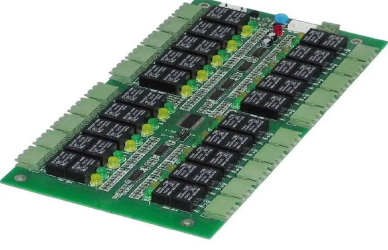
When it comes to circuit board assembly (PCBA), providing the right files and information to the assembly service is critical to ensure that the process runs smoothly. The success of your PCB assembly project relies heavily on the accuracy and completeness of the files and information submitted. In this article, we will break down the essential files and data you need to provide, how to prepare them, and why they are necessary for achieving high-quality results.
Why Proper Files and Information Matter in PCB Assembly
In the world of PCB assembly, precision is key. The assembly process involves placing and soldering electronic components onto the PCB to create a fully functional electronic product. Without accurate and detailed files, assembly can face delays, errors, or even failure. Therefore, understanding what files to submit and ensuring that they are complete and accurate is essential.
1.Overview of Required Files for PCB Assembly
Before diving into the specifics, let’s take a look at the general files required for a successful PCB assembly. These documents guide the manufacturing and assembly process, ensuring that the end product matches your design specifications.
Here’s a summary of the core files you'll need:
File Name | Purpose | Why It’s Important |
Gerber Files | Describes the layers, traces, and holes of the PCB design. | Forms the foundation for PCB manufacturing and accuracy. |
Bill of Materials (BOM) | Lists all components, quantities, and specifications. | Ensures accurate component selection and sourcing. |
Pick-and-Place Data | Contains component placement coordinates and orientation. | Guides automated machines for precise component placement. |
Assembly Drawings | Provides component placement, soldering, and processing details. | Ensures correct assembly and error-free soldering. |
Testing Requirements | Lists any functional and electrical tests needed. | Verifies that the assembled PCB meets performance requirements. |
Each of these files plays a vital role in the assembly process, and providing them correctly ensures the quality and efficiency of the manufacturing process.
Core Files for PCB Assembly
1. Gerber Files: The Blueprint of Your PCB Design
The Gerber files are the most crucial documents for PCB manufacturing and assembly. These files define the physical aspects of the PCB, including the copper traces, component holes, vias, and other necessary features.
Key Components of Gerber Files:
Copper Layers: These files specify where traces and pads will be placed.
Drill Files: These indicate the holes that need to be drilled for components.
Solder Mask: Defines the areas where soldering should not occur.
Silkscreen: Displays the labels and markings on the board for assembly guidance.
Why Gerber Files Are Crucial:
Gerber files serve as the blueprint for the PCB. Without them, the manufacturer would not know where to place traces or components, making them the most important file you can provide for PCB assembly.
2. Bill of Materials (BOM): The Component Inventory
The BOM is a comprehensive list of all the components that make up your PCB. It provides detailed information about each component, such as the part number, manufacturer, quantity, and any special instructions for sourcing.
Key Information Included in BOM:
Component Part Number: Unique identifier for each component.
Quantity: The number of units required.
Specifications: Electrical characteristics, size, and tolerances.
Supplier Information: Where the components can be sourced from.
Why BOM Is Important:
The BOM is the foundation for sourcing the right parts for assembly. An incomplete or incorrect BOM could result in incorrect or delayed deliveries of parts, leading to production delays.
3. Pick-and-Place Data: Precise Component Placement
Pick-and-place data is used to automate the placement of components onto the PCB during assembly. This file contains the X, Y coordinates of each component on the board, along with its orientation.
Key Information in Pick-and-Place Data:
Coordinates: The position of each component on the board.
Orientation: The angle at which each component should be placed.
Part Type: Specifies whether the component is through-hole or surface mount.
Why Pick-and-Place Data Is Essential:
This file ensures that automated machinery can accurately place components onto the PCB in the correct position, reducing human error and speeding up the assembly process.
4. Assembly Drawings: Instructions for Assembly
Assembly drawings provide a visual representation of the PCB and its components. These drawings often include detailed notes on where components should be placed, special instructions for soldering, and mechanical processing.
Key Components of Assembly Drawings:
Component Placement: Detailed markings indicating the location of each component.
Soldering Guidelines: Instructions on how to handle difficult-to-solder components.
Special Instructions: Any unique requirements for the board’s assembly.
Why Assembly Drawings Matter:
Assembly drawings are essential for manual assembly or when automated equipment requires extra guidance. They help the assembly team avoid mistakes and ensure that components are correctly placed and soldered.
5. Testing Requirements: Ensuring Quality and Functionality
If your PCB has specific functionality or performance requirements, you must provide testing requirements. These could include electrical tests, functional tests, or environmental tests.
Types of Testing:
In-circuit Testing (ICT): Verifies the functionality of components on the board.
Functional Testing: Ensures that the completed assembly operates as intended.
Burn-in Testing: Helps detect early failures by running the board under stress conditions.
Why Testing Requirements Are Important:
Providing clear testing requirements ensures that the assembly meets your product’s functional and electrical specifications, preventing failures after delivery.
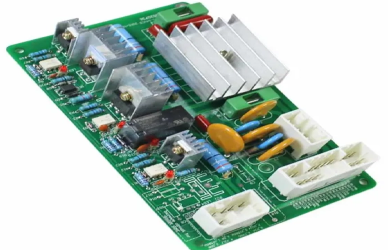
How to Prepare and Submit the Files for PCB Assembly
1. File Formats
Different assembly houses may have specific file format requirements, but the most common formats include:
Gerber Files: Usually in RS-274X or RS-274D format. These files describe the physical layers of the PCB and are crucial for the manufacturing process.
BOM (Bill of Materials): Often provided in CSV, Excel, or PDF format. This file lists all the components, their specifications, and part numbers.
Pick-and-Place Data: Typically in CSV or IPC-2581 format. This file guides automated pick-and-place machines for accurate component placement on the PCB.
Assembly Drawings: Usually provided as PDF or DWG files. These include visual guides to help with component placement, soldering, and any additional assembly instructions.
2. Ensuring Accuracy and Completeness
Before submitting your files, ensure that they:
Match your design specifications: Double-check that all details are consistent and accurate to avoid costly rework. Ensure the dimensions, component placements, and connections align with your design.
Are readable and unambiguous: Use standard file formats and naming conventions to avoid confusion. Clearly label each file so the assembly team knows what each file represents.
Contain all necessary information: Ensure no files are missing or incomplete. Missing data, such as component specifications or placement information, can result in incorrect assembly and delays. Review each file carefully to ensure completeness.
3. Communication with the Assembly House
Clear communication with your PCB assembly service is crucial. Confirm the file format requirements and ask for a sample to verify the assembly process before committing to a full production run. Communicating any special requirements or preferences for the assembly process will also help avoid misunderstandings. Be sure to share your testing instructions, if applicable, and discuss any specific concerns with the assembly service. Regular updates and transparency will help ensure that the assembly runs smoothly and that the final product meets your expectations.
FAQs on Circuit Board Assembly Files
1️⃣ What happens if I submit incomplete files for PCB assembly?
Incomplete files can lead to production delays, assembly errors, or even PCB failure. Missing files like Gerber files, BOM, or pick-and-place data can cause issues in the manufacturing process. Always ensure that all necessary files are complete and accurate before submitting.
2️⃣ Can I submit my own components for PCB assembly?
Yes, many PCB assembly services accept consigned or kitted assembly, where you provide your own components. However, ensure that the components meet the necessary specifications, and label them correctly to avoid confusion during assembly.
3️⃣ What should I do if there are errors in my Gerber files?
If you find errors in your Gerber files, use a Gerber viewer to review them before submission. Fix any issues, such as incorrect traces or hole placements, and re-submit the corrected files. Request a prototype PCB to test the design if necessary.
4️⃣ Can the assembly service help with design files?
Some PCB assembly services offer design assistance, including file review and design rule checks. This service can help identify errors and optimize the design for smoother assembly. Always confirm if this service is available before submitting your files.
Conclusion
Providing the correct files and information for PCB assembly is essential for the successful manufacture of your product. Accurate Gerber files, a detailed BOM, precise pick-and-place data, clear assembly drawings, and well-defined testing requirements are all critical components of the process. By ensuring your files are complete, accurate, and well-prepared, you can avoid delays and achieve high-quality results. Additionally, clear and proactive communication with your assembly service is key to addressing any concerns and ensuring smooth project execution. Always confirm the file formats and assembly specifications with the manufacturer to guarantee that all requirements are met, and your PCB assembly is completed efficiently and to the highest standards. By taking these steps, you set the stage for a successful assembly process and a finished product that meets your expectations.


